0
          years supporting North West organisations
          0
          businesses supported across Manchester, Oldham and the North West
          0
          schools and academies with regular IT support
          1st to 3rd
          line helpdesk support for day-to-day faults and escalations

          01

          Most IT support looks fine until it is tested

          A support provider can look good while nothing serious is happening. Tickets are answered. Passwords are reset. A printer is fixed. Everyone gets used to the rhythm.

          The real test is different. A server fails. A staff member clicks a phishing link. The finance director needs access to an old mailbox. A laptop dies and nobody knows whether the data was backed up. That is when you find out whether the provider has been running your IT or just reacting to tickets.

          What we usually find during a takeover

          • No current network diagram or asset list.
          • Old staff accounts still active in Microsoft 365 or Entra ID.
          • Backups that exist but have not been restored and checked.
          • Licences spread across different tenants, resellers and personal accounts.
          • Firewall rules and remote access settings nobody wants to own.

          Managed IT support is supposed to prevent that. Not by promising that nothing will ever break. Things break. The point is that someone knows what you have, how it is configured, and what to do when it fails.

          02

          What managed IT support actually is

          Managed IT support means a provider takes ongoing responsibility for your systems for a fixed monthly fee. Not just answering the phone when something breaks. Running the systems.

          Managed IT support systems monitored by Remedian for North West clients
          Managed IT support works when monitoring, patching, backups and tickets are joined together, not treated as separate jobs.
          MonitoringAgents on endpoints and servers so failed disks, full storage, offline devices and broken services are spotted early.
          PatchingWindows, third-party software, firmware and server updates planned properly rather than left to chance.
          Helpdesk1st line fixes everyday faults, with 2nd and 3rd line escalation when the issue is deeper.
          Microsoft 365User accounts, licences, Entra ID, MFA, Conditional Access and mailbox security managed properly.
          Backup checksBackups monitored and restore tested, because a backup that has never restored is a guess.
          Onsite workEngineer visits for work that cannot be done properly from a remote session.

          The useful bit is the routine. The provider checks the same things every month, documents changes, removes old access, manages licences, and tells you what needs replacing before it fails during a busy week.

          03

          What should be included in a managed IT support agreement

          Do not compare providers by headline price. Compare what is actually included. A cheap contract becomes expensive when every useful piece of work is excluded.

          Area What you should expect
          Helpdesk Phone, email and remote support for day-to-day staff issues, with proper escalation when 1st line cannot fix it.
          Microsoft 365 Licensing, mailbox work, Teams, SharePoint, Entra ID, MFA and security settings managed from one clear tenant view.
          Device monitoring Workstations, laptops and servers monitored for patching, storage, uptime and faults.
          Backup Secure backup monitoring and restore testing for the systems you cannot afford to lose.
          Server and network support Server support, switches, Wi-Fi, firewalls and VPN access managed with documentation.
          Cyber security MFA, endpoint protection, patching, firewall checks and Cyber Essentials support where needed.
          Onsite engineering Planned onsite visits for businesses and schools across Manchester, Oldham and the North West.

          The missing line is usually project work. Migrations, office moves and server replacements may sit outside the monthly fee. That is fine as long as the quote says so clearly.

          04

          The numbers that actually matter

          When you compare IT providers, ignore the awards and the vendor badges. Ask for numbers instead. Any provider doing the job properly can pull useful figures from their ticketing system and monitoring tools.

          0 years

          supporting North West organisations from Manchester and Oldham.

          0 businesses

          supported across Manchester, Oldham and the wider North West.

          0 schools

          and academies with regular IT support and onsite engineer work.

          1st to 3rd line

          helpdesk coverage for everyday faults, escalations and infrastructure issues.

          For internal reporting, you can also publish average first response time and first-contact resolution once those figures have been checked in Halo or BMS. Do not publish a number just because it looks good.

          05

          How to compare managed IT providers without being sold to

          A good provider should be able to explain their tooling, their escalation path and their onboarding process without hiding behind sales language.

          • Ask what monitoring tool they use. You want to know how they spot failed services, missing patches, low storage and offline devices.
          • Ask what happens after a ticket is logged. Who triages it, when it moves to 2nd line, and who owns it if it becomes infrastructure work.
          • Ask who owns Microsoft 365. Tenant security is not optional. MFA, admin roles and old accounts need regular checks.
          • Ask about backup restores. Not whether backups run. Whether restores are tested.
          • Ask how leaving works. Your domains, licences, passwords and documentation should be handed over cleanly.

          If they cannot answer those questions plainly, keep looking. You are not buying a support inbox. You are paying someone to keep the business working.

          06

          What a proper takeover from another IT provider looks like

          Most takeovers are not technically difficult. They are messy because documentation is poor and access is scattered.

          The first job is not to change everything. The first job is to find out what exists. Domains, DNS, Microsoft 365, firewall access, server admin accounts, backups, antivirus, remote tools, Wi-Fi controllers, printers, line-of-business systems and licences.

          IT support checklist used to review systems, access, backups and standards
          A proper takeover starts with evidence: access, assets, backups, Microsoft 365, licences and old accounts.

          The first 30 days should cover

          • Admin access confirmed and old provider access removed at the right time.
          • Asset list created for servers, devices, networking kit and key software.
          • Microsoft 365 tenant reviewed for MFA, admin roles, forwarding rules and old users.
          • Backup jobs checked, then at least one restore tested.
          • Monitoring deployed to supported devices.
          • Known issues prioritised so the business sees progress quickly.

          A takeover should not feel like a cliff edge. You should know what is happening, who owns each step, and what will be fixed first.

          07

          Microsoft 365 is where a lot of support problems start

          For most businesses, Microsoft 365 is now the real centre of IT. Email, Teams, files, identity, MFA, device sign-in and admin access all sit there.

          That is why we check it early. We look at Entra ID, admin accounts, shared mailboxes, licence waste, forwarding rules, MFA coverage, Conditional Access and whether former staff still have access somewhere they should not.

          Microsoft 365 checks we run early

          This is not a security audit. It is the baseline work that should happen during managed support.

          Internal checklist item: replace this visual with a real Microsoft 365 admin screenshot if you have one with no client data visible.

          Microsoft has clear guidance on Conditional Access. The hard part is not knowing it exists. The hard part is configuring it without locking out the wrong people or leaving gaps for the risky accounts.

          08

          Backups, patching and cyber security are not separate jobs

          Businesses often treat backup, patching and cyber security as separate products. In practice, they are linked.

          If a server is unpatched, it is easier to compromise. If the backup is not isolated, ransomware can hit the backup too. If nobody tests restores, you only discover the problem when the business is already down.

          Backup checks

          We check backup jobs and test restores for the systems that matter, including servers and Microsoft 365 data where it is in scope.

          Patching

          We schedule updates properly, with maintenance windows where the business cannot afford random downtime.

          Access control

          We remove old accounts, reduce unnecessary admin rights and make sure MFA is not only half deployed.

          Cyber Essentials

          For many SMEs, Cyber Essentials gives a clear baseline to work from.

          The point is not to make the environment perfect. The point is to remove the obvious failure modes first.

          09

          Businesses and schools need different support models

          We support businesses and schools, but we do not treat them as the same job.

          A business usually cares most about staff productivity, cyber risk, line-of-business systems and continuity. A school has all of that, plus safeguarding, classroom disruption, the school calendar, filtering and monitoring, MIS data and the DfE digital standards.

          School library touchscreen and classroom technology supported by Remedian IT Solutions
          School IT support needs a different model because classroom technology, safeguarding, filtering and the school calendar all matter.
          • For businesses, the work usually starts with Microsoft 365, devices, backups, servers and security baselines.
          • For schools, it also includes onsite engineer days, filtering and monitoring, MIS support, device fleets and evidence for governors.
          • For both, the same principle applies: document it, monitor it, test it, and remove access that should not exist.

          Our IT support for schools page covers the education side properly.

          10

          Pricing and contracts: what to check before you sign

          Managed IT support is usually sold as a monthly fee. That is fine. The issue is what sits inside the fee and what sits outside it.

          Ask this Why it matters
          Is it per user, per device or fixed scope? You need to understand what changes the bill when staff or devices change.
          Are onsite visits included? Some providers include them. Some bill every visit separately.
          Are servers included? Server support is often excluded from low-cost support quotes.
          Is project work included? Most migrations and larger work are separate. That is normal, but it should be clear.
          What happens when we leave? Your data, domains, admin accounts and documentation should remain yours.

          A contract should make support predictable. It should not make leaving painful.

          Talk to us about your setup

          If you want us to look at your current IT support, send the form. We will check the practical things first: Microsoft 365 access, backups, old accounts, devices, servers, monitoring and where the current support arrangement is weak.
          • We will tell you what is fine and what is risky.
          • We will not ask you to replace everything on day one.
          • We can quote against your current scope so the comparison is fair.
          • We will give you a plain view of what we would fix first.
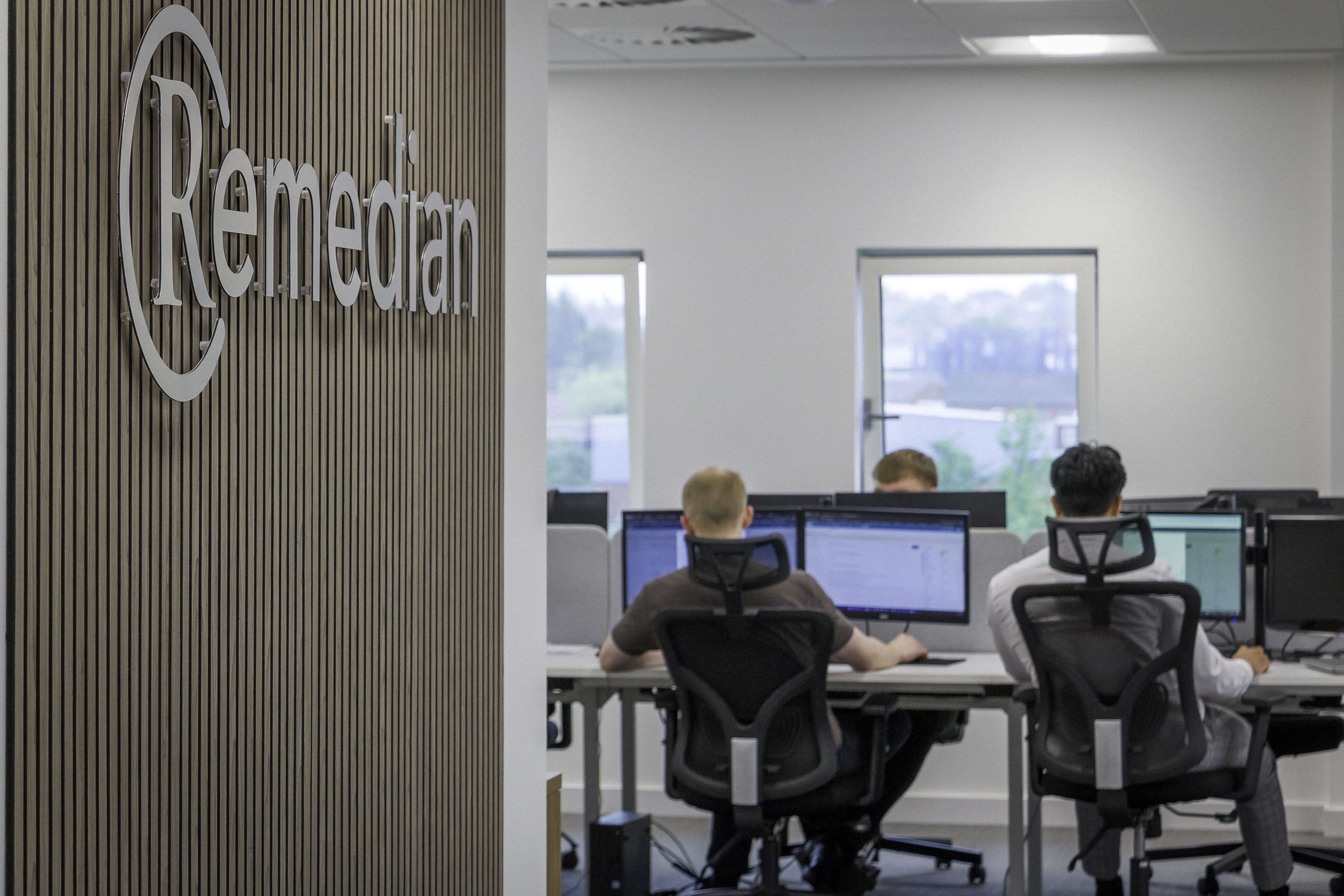
          Remedian IT Solutions office supporting managed IT clients across Manchester and Oldham
          Remedian supports managed IT clients from its Manchester and Oldham offices, with remote helpdesk and onsite engineers across the North West.

          Talk to Remedian

          Or call 0330 66 00 281 and ask for the managed IT team. We reply to every form submission within one working day.
          12

          Managed IT support FAQs

          What does managed IT support include?+
          Managed IT support includes helpdesk support, monitoring, patching, Microsoft 365 management, backup checks, security baseline work, account management and onsite engineer visits where needed.
          What is the difference between managed IT support and break-fix?+
          Break-fix waits for something to go wrong and then bills to fix it. Managed support is a fixed monthly arrangement where the provider checks and runs the environment before small faults become bigger failures.
          How is managed IT support priced?+
          Most managed IT support is priced per user, per device or by a fixed monthly scope. The quote should say whether helpdesk, monitoring, patching, onsite visits, servers and project work are included.
          Can Remedian take over from our current IT provider?+
          Yes. We document the environment, take ownership of Microsoft 365, domains, licences and accounts, check backups, deploy monitoring and remove access that should not remain live.
          Do you support schools as well as businesses?+
          Yes. We support businesses and schools across Manchester, Oldham and the North West, including onsite engineer visits, Microsoft 365, filtering and monitoring, backups and evidence for DfE digital standards.
          Do you do one-off projects without a support contract?+
          Yes. Server replacements, Microsoft 365 migrations, office moves, network installs and backup projects can be done as standalone work. Some managed clients start with one project first.

          Remedian IT Services

          Discover what other services we offer.

          secure-server

          Secure Backup

          A Secure Backup Solution from Remedian I.T. keeps your personal and business data secure and encrypted; both on and offsite to get your business back up and running with the minimum of downtime.

          wifi-router

          Broadband & WiFi

          In our interconnected world your business needs to be online 24/7. Our managed broadband and WiFi will provide quick, quality connection to get the job done. Speak to our sales team to get connected.
          monitor-screen

          Connection Monitoring

          By monitoring your internet connection, we can detect any problems and respond to them before they become major issues, keeping you connected and working towards your goals.

          cctv-camera (1)

          Phone and CCTV Systems

          Digital phone systems provide you with premium features and flexible plans that grow with your business, from single handsets to full office installations. Ask us about an HD CCTV system and access control to monitor your premises and keep your offices as secure as your data.

          it-department

          Hardware

          Providing best value is what we are all about. When it comes to advice, supply and installation of new hardware we make sure you get the best options for your business. We can even arrange finance to help you spread the cost and manage your budgets.

          online-support

          Remote Support

          Our helpdesk team are on hand, from Monday to Friday 8:30am – 5:00pm, to provide free, friendly remote support to make sure you can get your IT back on track in no time.

          Testimonials

          As a long-term client of Remedian, Ashworth Electrical Services have nothing but the highest praise for their assistance in managing our IT systems.
          The service Remedian provide is professional and efficient. The staff are always helpful and friendly.
          Remedian have been our IT support providers now for almost 6 years. During that time they have demonstrated a high level of customer service and value for money support and IT equipment.
          Remedian have helped us grow into the company we are today. The standard of service and expertise Remedian provide us with is second to none, whether it is remote helpdesk support or onsite maintenance.
          The Remedian team have provided weekly on-site technician services and have also provided strategic direction in relation to the Trust's infrastructure which has been invaluable. When issues arise the Remedian team are fast to respond and are proactive in recommending solutions to mitigate any potential issues.